
Why you need an app like this
When your Mac won’t sleep or restart, macOS knows why. But it doesn’t usually communicate well what you need to do. You can use command-line tools, but the output is dense and jargon-heavy. It’s meant for system administrators, not regular users. Why Won’t You Sleep runs these tools and translates their answers into a list of plain-English explanations for two cases:
- Which app or system process is holding a sleep assertion, what kind of sleep it’s blocking, how long it’s been doing so, and what you can do about it.
- When you try to restart or update macOS, what’s keeping your Mac from completing that restart.
Requirements: macOS 14 (Sonoma) or later. Apple Silicon or Intel Mac.
This is the second public beta. Future versions will arrive in place via Sparkle — no need to come back here for new builds. Feedback on what reads wrong or which processes the app can’t yet explain: feedback@whywontyousleep.app.
How to use it
- Launch the app. It reads the
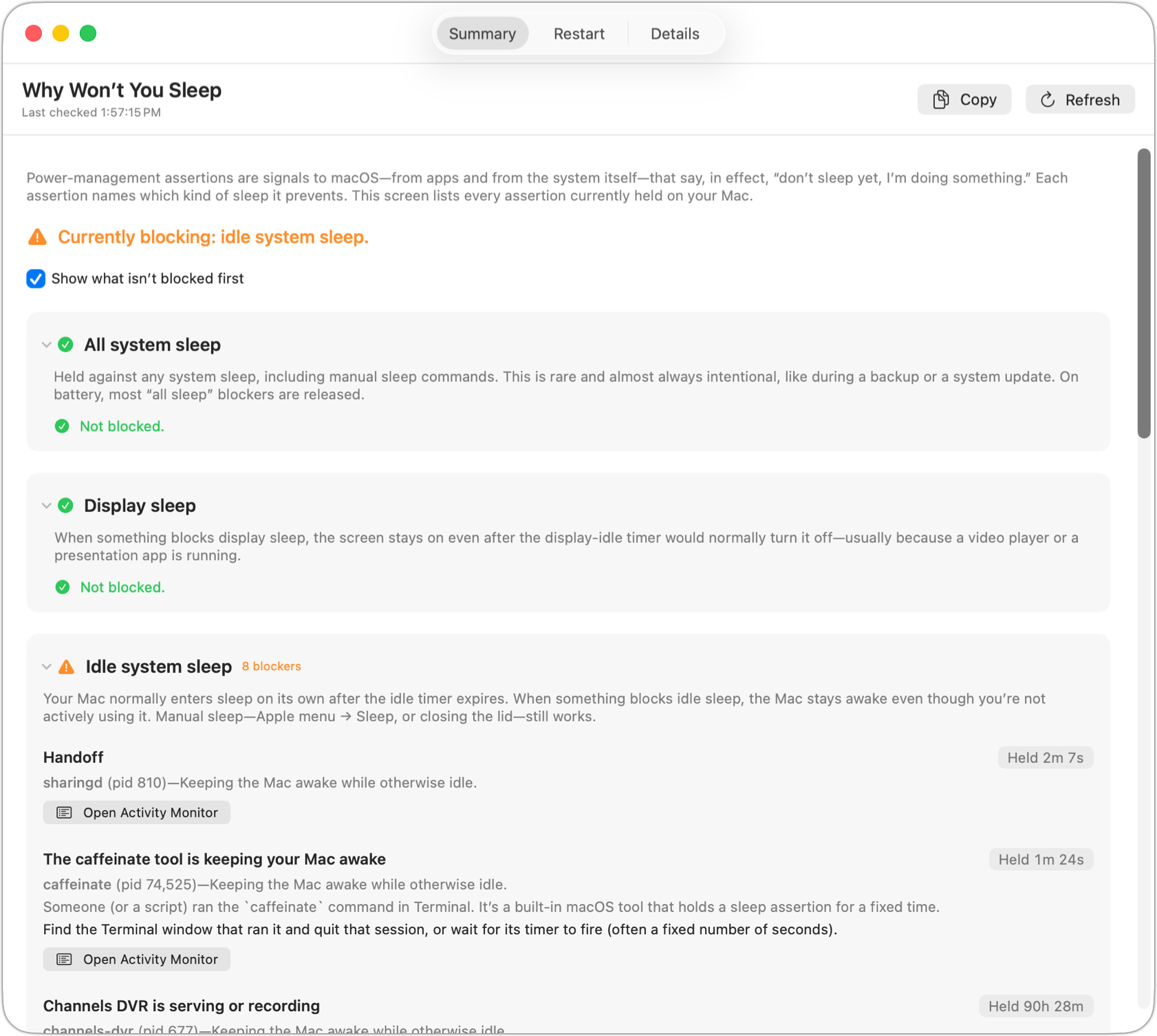
pmsetcommand-line tool’s output on open to check for sleep blockers; hit Refresh (⌘R) any time to re-check. - Summary tab. Each kind of sleep — display, idle system, all system — has its own collapsible section. If you see a green check, it’s not blocked. If you see an orange triangle, however, something would prevent that kind of sleep, if you wanted to invoke it. For any blocked sleep type, the app lists each process or app, how long it’s been held, details about what the item is, and a one-line explanation of what to do.
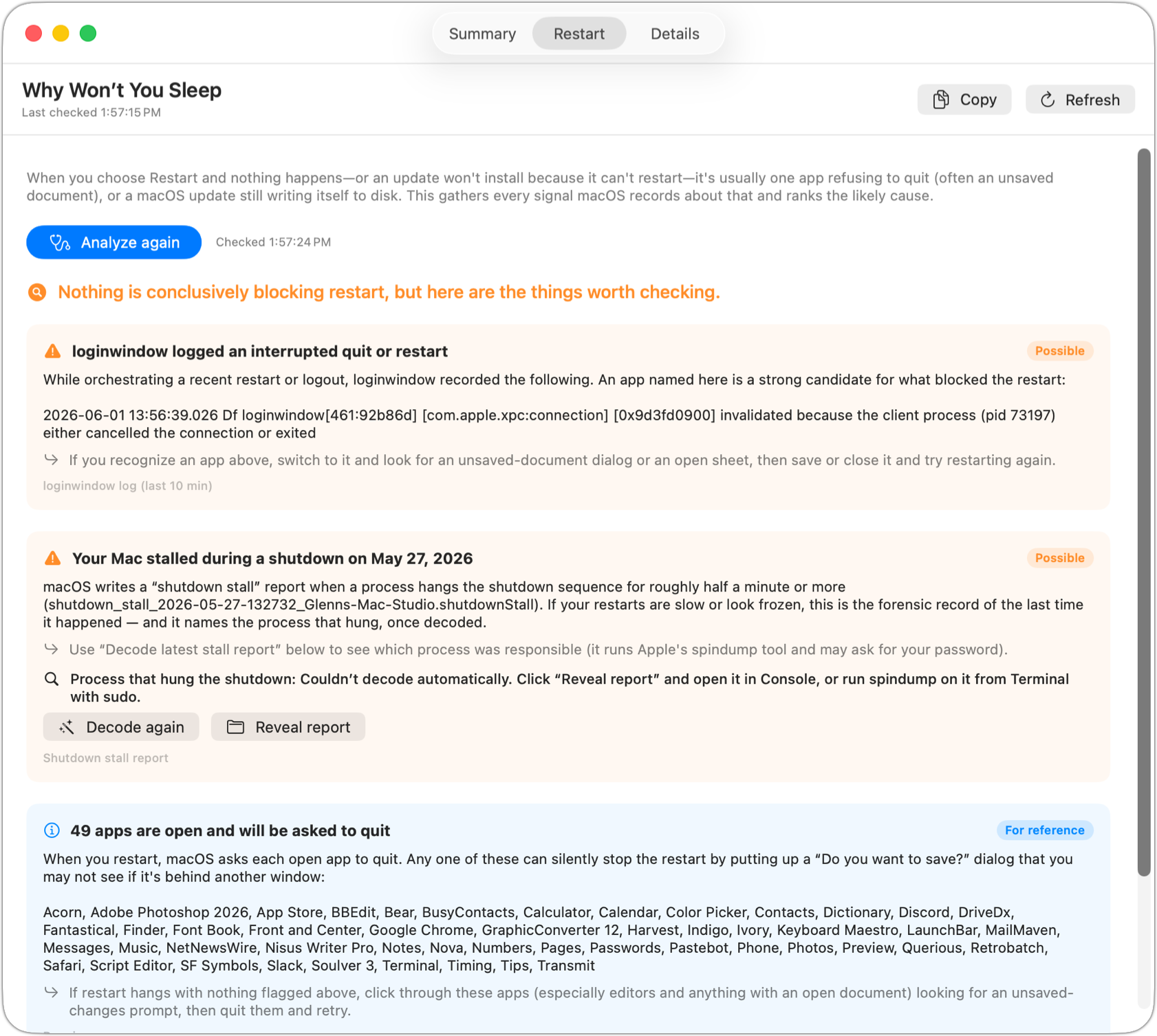
- Restart tab. The flip side: when you choose Restart and nothing happens — or a macOS update won’t install because it can’t restart — click Analyze. The app ranks what’s most likely holding things up, drawing on a staging software update, the
loginwindowlog of a just-cancelled restart, and any prior shutdown-stall report (which it can decode to name the process that hung). When nothing else fits, it lists the open apps macOS will ask to quit — one of them is probably sitting on an unsaved-document dialog. - Details tab. The raw
pmset -g assertionsandpmset -goutput, color-coded so blocking types stand out. You can copy the contents of the tab as a whole or select and copy sections to share in a bug report. - “Where to look next” links jump straight to the right System Settings pane — Lock Screen, Battery, Bluetooth, Sharing — or open Activity Monitor with the suspect PID copied to your clipboard.
Feedback wanted
Because there are many apps and background processes, Why Won’t You Sleep likely won’t capture or explain all situations at first. If you use the app and either see something it can’t explain, or the explanation appears incorrect, please email feedback@whywontyousleep.app. I appreciate the feedback to make this app more useful.